

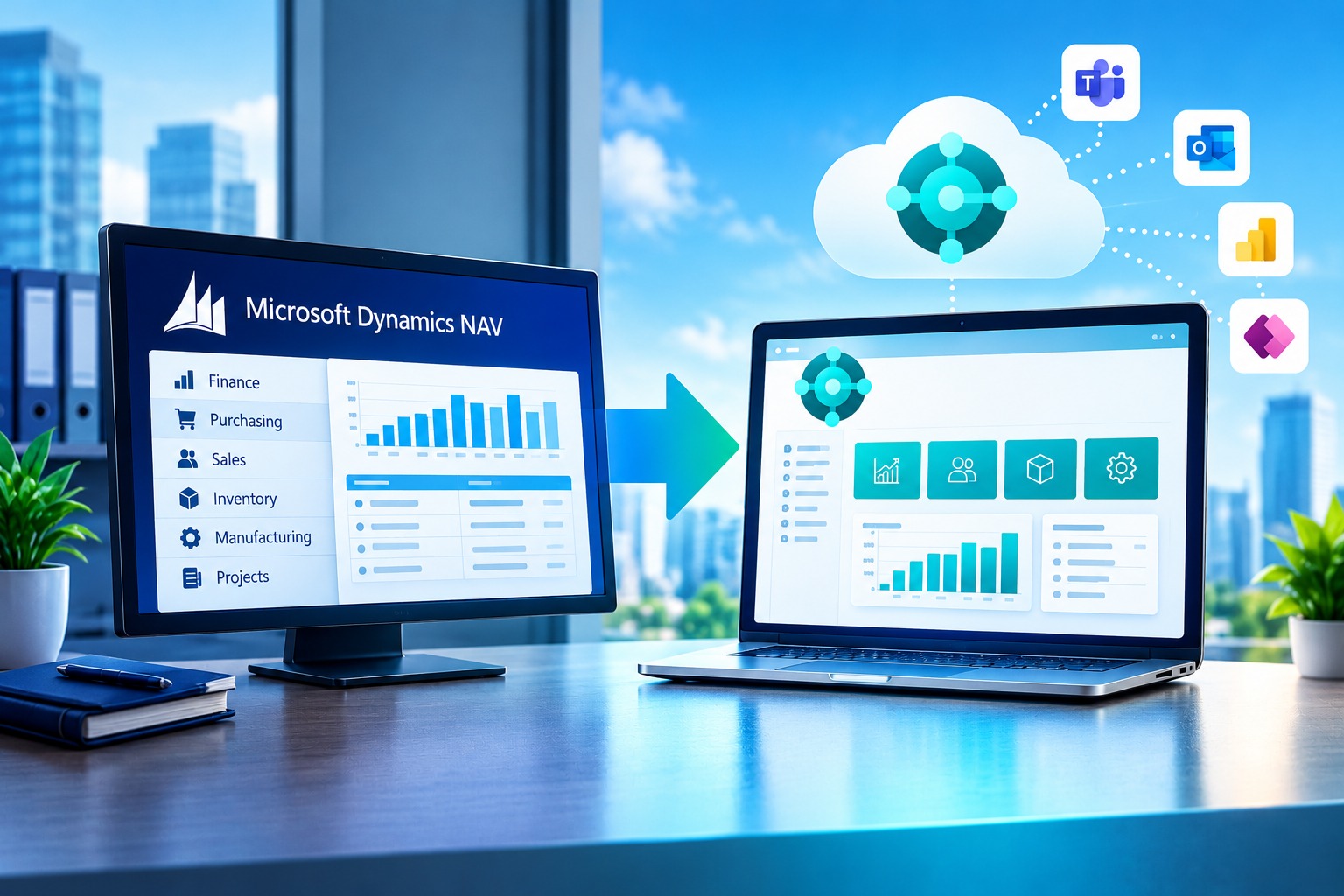
For many organizations, Microsoft Dynamics NAV, still widely called Navision, has been the financial and operational backbone for fifteen years or more. It handles the ledgers, the purchase orders, the stock, and the month-end reports that management relies on. The question is no longer whether NAV worked, but whether it is the right foundation for the next decade.

The ERP market has moved towards cloud-based, continuously updated and highly integrated platforms. Microsoft stopped releasing new NAV versions after Dynamics NAV 2018 and now directs customers to Dynamics 365 Business Central, which is built on the same lineage. That is why the move from Microsoft Dynamics NAV to Business Central has become one of the most common ERP modernization projects among small and mid-sized organizations.
We should be precise about the title. No credible public source says that “most” NAV customers have already migrated, and this article does not claim it. What is well documented is that Microsoft’s investment, product roadmap and support lifecycle all point in one direction. NAV users are better placed than most to follow, because much of what they already know carries across.
What Is Microsoft Dynamics NAV (Navision)?
Microsoft Dynamics NAV is an enterprise resource planning (ERP) system for small and mid-sized businesses. It integrates finance, supply chain, sales, inventory, manufacturing and project management in one application. It originated as Navision, was acquired by Microsoft in 2002, and was renamed Dynamics NAV.
A Short History
Navision began as a Danish accounting product and grew into a respected ERP system with a strong partner ecosystem. After Microsoft acquired it, it became part of the Dynamics family and was developed through successive releases up to Dynamics NAV 2018. Business Central succeeded it, and the two share a common codebase.
Why Organizations Adopted NAV
NAV earned its reputation for flexibility. Partners could adapt it closely to an organization’s way of working, which suited businesses with distinctive processes. It typically covers:
- Finance and accounting, including the general ledger, receivables, payables, bank reconciliation and fixed assets
- Procurement and purchasing workflows
- Sales order processing and customer management
- Inventory and warehousing
- Light and discrete manufacturing
- Project and job costing
- Reporting and analysis
Why NAV Still Has Value
Organizations that have run NAV for years have invested in configuration, training and process design. Their data is rich and their users are skilled. That investment is real, and a sensible migration protects it.
It also explains why migration is a strategic project rather than a simple software swap. Many NAV environments have been customized heavily over the years, and those customizations are where the planning effort is concentrated.
What Is Microsoft Dynamics 365 Business Central?
Dynamics 365 Business Central is Microsoft’s ERP and business management platform for small and mid-sized organizations. It combines financials, sales, purchasing, inventory, operations and project management, and it connects to Microsoft 365, Power BI and the Power Platform.
For a business audience, the important point is what has changed around the core. The accounting logic and many of the business concepts will look familiar to a NAV user. The platform around them is different.
- Deployment. Business Central can run as a Microsoft-hosted cloud service (software as a service), and on-premises options also exist.
- Microsoft 365 connection. Users can work with data from Excel and Outlook, and Teams can be part of the daily workflow.
- Power BI and the Power Platform. Reporting, workflow automation (Power Automate) and lightweight applications (Power Apps) can be built around ERP data.
- APIs and extensions. Functionality is added through extensions rather than by modifying the base application, and web service APIs support integration with other systems.
- Access and interface. A browser-based, role-oriented interface supports remote and multi-location work.
- Update model. Releases arrive on a regular cadence rather than through large, infrequent upgrade projects.
Capabilities and licensing differ by deployment model, version and configuration, so any specific feature should be confirmed against Microsoft’s current documentation during assessment.
Microsoft Dynamics NAV vs. Business Central
The main difference is the platform rather than the purpose. Both are Microsoft ERP systems with a shared heritage, but Business Central is built for cloud delivery, regular updates, extension-based customization and tighter integration with Microsoft 365, Power BI and the Power Platform.
The comparison below is a general guide. NAV can be extended and integrated, and many NAV environments do so successfully, so read the table as describing typical patterns, not absolute limits.
| Area | Microsoft Dynamics NAV | Dynamics 365 Business Central |
|---|---|---|
| Deployment | Typically on-premises or partner-hosted | Microsoft cloud (SaaS), with on-premises options |
| User experience | Windows client in classic versions; a web client is available in later versions | Browser-first, role-based, consistent across devices |
| Updates | No new releases since NAV 2018; upgrades are discrete projects | Regular releases; updates are part of ongoing platform management |
| Customization | Often direct modification of application code | Extensions that sit on top of the base application |
| Integration | Possible through web services and custom development | API-oriented, with a broad ecosystem of connectors and apps |
| Microsoft 365 | Available through custom or add-on integration | Built-in connections to Excel, Outlook and Teams |
| Power BI and Power Platform | Possible, with more setup effort | Designed to work with Power BI, Power Automate and Power Apps |
| Accessibility | Depends on how the environment is hosted and published | Web access from browsers and devices, subject to your security policies |
| Security and administration | Managed by your IT team or hosting provider | Microsoft platform security with tenant administration tools |
| Long-term direction | Final release is NAV 2018; support is governed by a fixed lifecycle | Active development and an ongoing product roadmap |
Results vary with your NAV version, the extent of customization, the target deployment, licensing and configuration. This is why an assessment should come before any commitment.
Why Are Companies Moving from NAV to Business Central?
Organizations move from NAV to Business Central mainly because NAV no longer receives new releases, its support window is closing, and Business Central offers cloud delivery, regular updates, extension-based customization and deeper Microsoft 365 integration.
The reasons are practical rather than fashionable. Each of the following appears repeatedly in migration conversations.
1. Moving Away from Legacy ERP Technology
Not every NAV system is obsolete, and a well-maintained installation can serve a business for years. But older ERP environments accumulate friction.
- Servers and databases age and need replacing.
- Operating systems, browsers and Office versions change, creating compatibility problems.
- Customizations written directly into the application code become harder to maintain with each year.
- Connecting to modern applications requires bespoke work.
- Knowledge of older versions concentrates in a few individuals.
Support dates make the timeline concrete. According to published lifecycle information, NAV 2017 reaches the end of extended support on 11 January 2027, and NAV 2018 on 11 January 2028. NAV 2015 and earlier versions have already passed their end-of-support dates. Organizations should confirm their exact version against Microsoft’s lifecycle documentation.
2. Cloud ERP and Anywhere Access
Cloud ERP reduces dependence on local servers and supports teams working across branches, from home or on the road. It also simplifies business continuity, since the system does not depend on a single office server room.
It is important to separate the deployment options. Cloud-hosted Business Central, delivered as a Microsoft service, is different from running Business Central on your own infrastructure or on partner-hosted servers. Each carries different cost, control and administration implications, and the right choice depends on your compliance requirements, connectivity and internal capability.
3. Continuous Updates and Modern ERP Management
Traditional NAV upgrades were large projects, scheduled every few years, often postponed because of cost and disruption. Business Central moves towards regular releases, so improvements and security updates arrive in smaller increments.
This does not mean updates are automatic and risk-free. Extensions and integrations still need to be tested against each release, and organizations need a basic process for doing so. The benefit is that the work becomes routine instead of a periodic rescue project.
4. Microsoft 365 and Power Platform Integration
Many finance and operations teams already live in Excel and Outlook. Business Central connects to these tools so that, for example, data can be opened and edited in Excel and documents can be sent from within the application. Teams can serve as a collaboration layer around business records.
Power Automate can route approvals and notifications, Power Apps can provide simple purpose-built applications, and Power BI can present dashboards. Used well, this reduces re-keying of data between spreadsheets and the ERP, which is a common source of reporting errors.
5. Better Reporting and Business Intelligence
Management wants current numbers on cash flow, sales performance, stock positions and supplier commitments. Where NAV reports are prepared by exporting data and assembling spreadsheets by hand, reporting is slow and difficult to verify.
Business Central, combined with Power BI, supports dashboards drawn directly from ERP data. Finance, sales and procurement can then work from the same figures, and management reports can be refreshed instead of rebuilt each month.
6. Easier Integration with Modern Business Applications
Organizations increasingly connect their ERP to other systems. Typical examples include mobile sales applications, e-commerce sites, CRM, banking platforms, payment channels such as M-Pesa, tax authority systems, payroll and HR applications, and websites.
Be clear about what “integration” means in each case. Some connections are native to Business Central. Others are available through configuration, through extensions from Microsoft AppSource, or through custom development. The cost and timeline differ considerably, and a good partner will tell you which category each of your requirements falls into.
7. Improved User Experience and Productivity
A modern, browser-based interface affects day-to-day work. Role-based screens reduce the number of clicks required for common tasks. Approvals can be actioned from wherever the approver is, and staff in different locations see the same data.
Better usability also supports adoption, which is one of the strongest predictors of whether an ERP project delivers value.
8. Supporting Business Growth
As an organization adds users, branches, product lines or transaction volumes, its ERP must keep pace. Business Central can support additional companies, locations and users, and extensions allow new processes to be added without rewriting the core.
No ERP scales without limit, and performance still depends on design, data volumes and infrastructure. The practical point is that Business Central gives growing organizations more room to adapt than a heavily modified legacy system.
The Business Benefits of Moving from NAV to Business Central
The benefits depend on how well the project is executed, and any figures quoted by vendors should be treated with caution. We will not give percentage claims here, because the right numbers are specific to your organization. The benefits organizations typically seek are:
- Operational efficiency. Fewer manual steps between systems, and less rework.
- Data visibility. One version of the figures across finance, sales and operations.
- Faster reporting. Management information available sooner, with less manual preparation.
- Collaboration. Teams working from shared data and shared workflows.
- Integration. Cleaner connections to banks, e-commerce, CRM and other systems.
- Lower infrastructure burden. Particularly with cloud deployment, fewer servers to maintain.
- Security and administration. Platform-level security capabilities and centralized user management.
- Flexibility. Extensions allow functionality to change without altering the base product.
- Accessibility. Secure access from multiple locations and devices.
- Digital transformation. A platform that supports automation and analytics initiatives.
A useful discipline is to define two or three measurable outcomes before the project begins, such as shortening the month-end close or eliminating a specific manual reconciliation. Benefits that are never defined are rarely measured.
What Happens to Existing NAV Data?
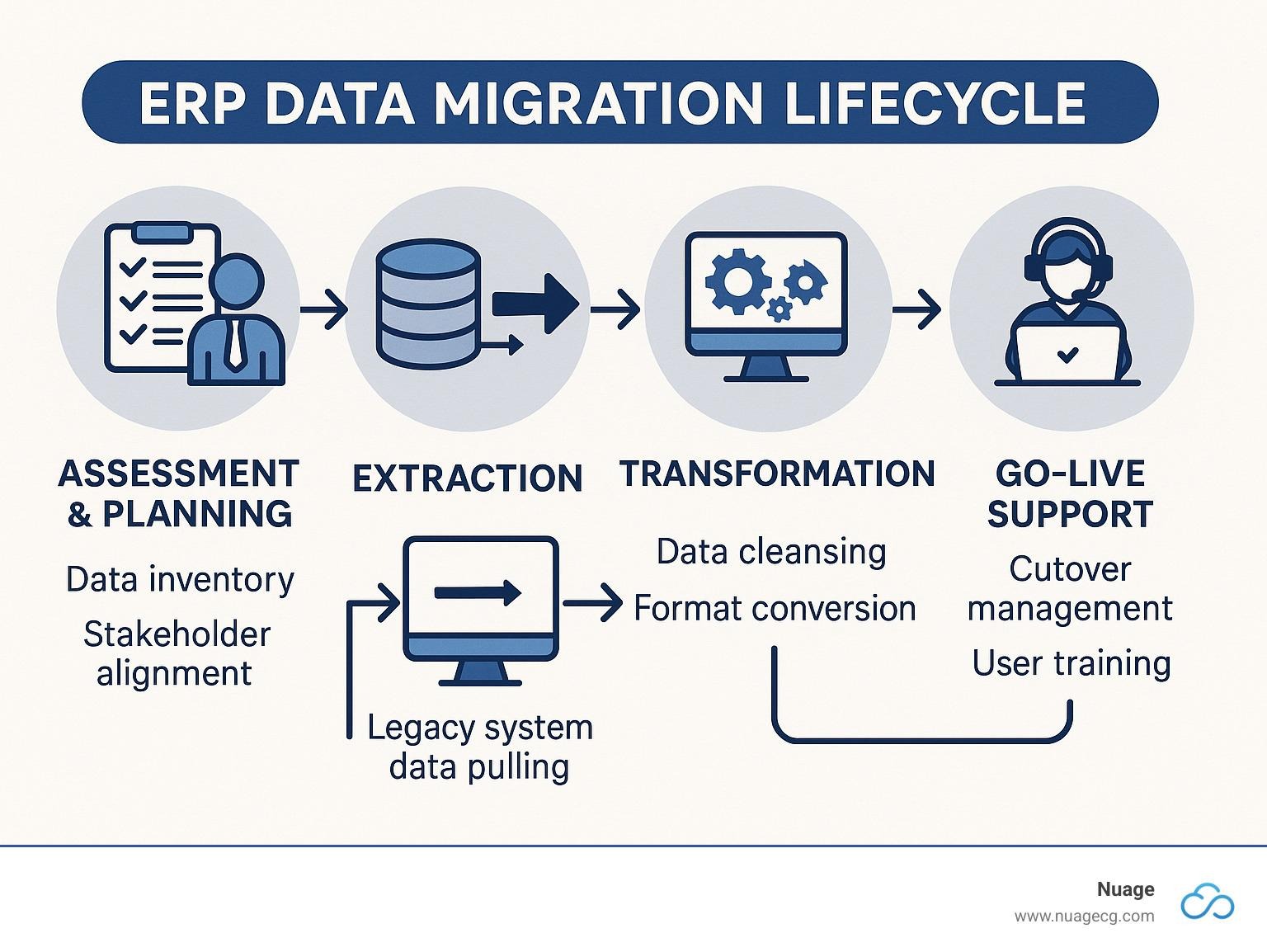
Existing NAV data can be moved to Business Central, but it is not a simple copy. The data must be reviewed, cleansed, mapped, migrated and reconciled so that Business Central starts with accurate, usable information.
The categories of data typically considered include:
- Master data: customers, vendors, items, and the chart of accounts
- General ledger history and dimensions
- Open transactions such as unpaid invoices and open orders
- Fixed assets and inventory balances
- User accounts, permissions and configuration
- Reports and workflows
Several disciplines determine whether this goes well:
- Data cleansing. Duplicate customers, inactive items and inconsistent records should be fixed or retired before migration, not carried across.
- Data mapping. Each NAV field needs a defined destination in Business Central.
- Data validation. Migrated data is checked against source totals.
- Reviewing obsolete records. Not every historical record needs to live in the live system.
- Testing and reconciliation. Trial balances, receivables, payables and stock valuations must agree before go-live.
It helps to distinguish two workstreams that are often confused. Data migration moves information. Customization redevelopment rebuilds the functionality your business depends on. They are planned and tested separately, even though they are closely related.
What Happens to NAV Customizations?
Customizations are usually the largest variable in a NAV migration. A sound assessment answers these questions for each one:
- What exists? Identify the custom objects, reports and add-ons in your environment.
- Why does it exist? Establish the business reason, which is often no longer documented.
- Is it still needed? Some customizations support processes that have since changed.
- Does standard functionality now cover it? Business Central may deliver what you once had to build.
- How should it be rebuilt? Where functionality is still required, it should be developed as an extension.
- What depends on it? Integrations and reports often rely on custom objects.
Microsoft’s own upgrade guidance points to one technical consequence. When moving to Business Central online, customization must be handled through extensions, and data held in tables with direct code customizations cannot simply be carried forward. This is exactly why the assessment step matters.
Migration is an opportunity to simplify. Carrying every historical customization forward by default usually reproduces the complexity that motivated the project.
Is NAV to Business Central an Upgrade or a Migration?
It can be either. Where a NAV database is upgraded technically through Microsoft’s upgrade path, it is an upgrade. Where data is moved into a new Business Central environment, it is a migration. Many projects combine elements of both.
The answer depends on your NAV version, deployment model, database architecture, level of customization, target Business Central deployment, data requirements and integrations. Microsoft documents upgrade paths into Business Central, and for cloud destinations a two-stage approach can apply: first upgrading to a supported Business Central version, then using the cloud migration tool to move data online.
The terminology below is used loosely in the market, so agree definitions with your partner at the start.
| Term | What it means in practice |
|---|---|
| Upgrade | Technically converting an existing NAV database and application to a Business Central version |
| Migration | Moving data and configuration from NAV into a Business Central environment |
| Reimplementation | Configuring Business Central fresh, redesigning processes, and bringing across selected data |
| Data migration | Transferring and validating master data, balances and, where required, history |
| Customization redevelopment | Rebuilding needed custom functionality as extensions or replacing it with standard features |
Heavily customized environments often lean towards reimplementation, while cleaner ones may suit a more direct upgrade. Neither is inherently better, and the right choice follows from the assessment.
How Much Does It Cost to Move from NAV to Business Central?
Any partner who quotes a fixed price without examining your environment is guessing. Cost depends on factors that vary widely between organizations:
- Business Central licensing and the number and type of users
- Implementation complexity and the number of companies and locations
- Data migration scope, including how much history is required
- Customization redevelopment
- Integrations with banks, payment systems, e-commerce and other applications
- Reporting and dashboard requirements
- Training and testing effort
- The hosting and deployment model
- Ongoing support arrangements
- Change management
A proper assessment should precede any estimate. It identifies what must be rebuilt, what can be retired and what can be handled with standard features.
The cheapest option is not necessarily the best. A migration that moves every legacy customization and every dirty record across at low cost may leave you with the same complexity on a new platform, and with the same cost to fix later.
Common Challenges When Migrating from NAV to Business Central
| Challenge | How to mitigate it |
|---|---|
| 1. Poor-quality legacy data | Profile and cleanse data early; set data ownership in the business |
| 2. Excessive customization | Audit each customization and retire or replace it where possible |
| 3. Inadequate planning | Agree scope, timeline, responsibilities and success measures before starting |
| 4. Weak user involvement | Involve key users from the first workshop, not only at testing |
| 5. Poor testing | Plan multiple test cycles, including realistic month-end scenarios |
| 6. Incomplete integration planning | Inventory every integration and test each one end to end |
| 7. Underestimating training | Budget time for role-based training and refresher sessions |
| 8. Insufficient change management | Communicate early, explain the reasons and support users through the transition |
| 9. Poor project governance | Establish a steering group, a clear sponsor and regular decision-making |
| 10. Migrating everything without assessing value | Migrate what the business needs and archive what it does not |
Most of these are organizational rather than technical. Projects rarely fail because the software cannot do something. They struggle when ownership is unclear, data is neglected or users are not prepared.
A Practical NAV to Business Central Migration Roadmap
Step 1: Assess the Existing NAV Environment
Establish your exact NAV version, database size, number of companies, deployment model, add-ons and support status. This sets the technical boundaries of the project.
Step 2: Document Business Processes
Record how finance, procurement, sales and inventory actually operate today, including workarounds. This shows which processes the new system must support and which should change.
Step 3: Review Customizations and Integrations
List every custom object and every connected system. Classify each as retire, replace with standard functionality, or rebuild.
Step 4: Assess and Cleanse Data
Profile the data, identify duplicates and obsolete records, and decide how much history to migrate. Cleansing is business work and should not be left to IT alone.
Step 5: Define the Business Central Solution
Agree the target design: deployment model, licensing approach, standard functionality to be used, extensions to be built and apps to be adopted.
Step 6: Develop the Migration Strategy
Choose between upgrade, migration or reimplementation, and set out the cut-over plan, the data approach and the rollback considerations.
Step 7: Configure Business Central
Set up companies, charts of accounts, dimensions, posting groups, workflows, approvals and user roles in line with the agreed design.
Step 8: Develop Required Extensions and Integrations
Build the necessary extensions and connect Business Central to banks, payment systems, CRM and other applications. Test each connection individually.
Step 9: Migrate and Validate Data
Run trial migrations, reconcile balances, and correct problems before the final load. Several rehearsals are normal and healthy.
Step 10: Conduct User Acceptance Testing
Have real users run real scenarios, including period-end processes. Their sign-off is a project milestone and should be treated as one.
Step 11: Train Users
Provide training by role, using your own data and processes where possible, and make sure support material exists after the classroom sessions end.
Step 12: Go Live
Choose a cut-over window that avoids peak periods, keep the project team available, and confirm the final reconciliations before users resume work.
Step 13: Provide Post-Go-Live Support and Optimization
The first weeks expose issues that testing missed. Structured support, followed by a review of reports, workflows and user feedback, turns a successful go-live into a lasting improvement.
Why NAV to Business Central Migration Is Not Just an IT Project
An ERP touches almost every function in the organization. Finance owns the chart of accounts and period-end processes. Procurement and sales define their workflows. Operations and inventory teams depend on accurate stock data. HR may be involved where payroll or employee data is integrated. IT looks after infrastructure and security, but cannot decide business rules on others’ behalf.
Senior leadership must sponsor the project, because trade-offs between departments need executive decisions. Successful ERP modernization combines technology with business-process alignment. When a migration is delegated entirely to IT, the result is often a technically correct system that does not match how the organization wants to work.
Why Choose an Experienced Microsoft Dynamics Partner for NAV to Business Central Migration?
The partner you select has a strong influence on the outcome. Useful criteria include:
- Documented Microsoft Dynamics experience, including NAV and Business Central
- Capability in data migration and reconciliation
- Experience with integrations to banks, payment systems and other applications
- Understanding of your business processes, not only the software
- A clear testing methodology
- Structured user training
- Post-go-live support arrangements
- Local presence and understanding of the regulatory environment
- The ability to untangle customization and legacy complexity honestly
FanisiTech Limited is a Kenya-based technology company that provides Microsoft Dynamics ERP solutions, implementation, system integration, data migration, Power BI, CRM, cloud and other enterprise technology solutions, along with support services. FanisiTech is a Gold partner to Microsoft. For organizations considering the move from NAV, the practical starting point is a structured assessment of the environment before any platform or price is discussed.
Why NAV Users in Kenya Should Consider Business Central
Kenyan organizations face specific operating conditions, and the case for Dynamics 365 Business Central in Kenya rests on them as much as on global product trends.
Business Central is available for Kenya as an online service. Microsoft’s country availability list shows Kenya as a market where localization is provided by partners, built on the international (W1) version of the product. This matters in practice: local tax and compliance functionality is delivered through partner localization apps and partner configuration. Organizations should confirm with their implementation partner exactly which compliance requirements are covered and how they are maintained.
Areas where Kenyan businesses commonly look for results include:
- Local financial operations. Multi-currency handling, bank reconciliation and statutory reporting.
- Tax and compliance. Alignment with KRA requirements, which change from time to time and should be verified during implementation.
- Payments. Integration with local payment ecosystems, including M-Pesa, where a suitable connector or custom integration is implemented.
- Banking. Electronic payments and statement import through bank integrations.
- Multi-branch operations. Consolidated visibility across branches and counties.
- Procurement and inventory. Controlled purchasing workflows and accurate stock records.
- Reporting. Management and donor or regulator reports drawn from consistent data.
- Cloud accessibility. Reduced reliance on office servers, which is helpful where power or connectivity is variable.
For organizations still using Microsoft Dynamics NAV in Kenya, a local partner also brings practical advantages: knowledge of the regulatory environment, the same time zone, and the ability to support users on site. ERP migration in Kenya works best when the partner understands both the platform and the environment it operates in, and Business Central implementation in Kenya should be scoped with those local requirements in view from the start.
When Is the Right Time to Move from NAV to Business Central?
Consider moving when several of these are true:
- Your NAV version is aging or approaching the end of its support period.
- Infrastructure is becoming costly or difficult to maintain.
- You need better cloud accessibility.
- Your business requires integrations that are hard to build on your current system.
- Reporting depends heavily on manual spreadsheets.
- Customizations have become difficult to maintain or support.
- The organization is growing, adding branches or users.
- Users need to work remotely or across locations.
- You want closer integration with Microsoft 365.
- A wider digital transformation is planned.
There are also situations where assessing first is wiser than migrating immediately. If your data quality is poor, if documentation of customizations is missing, if key staff are unavailable during a critical period, or if the business is about to undergo major change, a short assessment can establish readiness and sequence. It also helps you avoid moving problems from one system to another.
Frequently Asked Questions About NAV to Business Central Migration
What is the difference between Microsoft Dynamics NAV and Business Central?
Both are Microsoft ERP systems from the same lineage. Business Central is the successor, built for cloud delivery, regular updates, extension-based customization and integration with Microsoft 365, Power BI and the Power Platform. NAV’s final release was NAV 2018.
Is Dynamics NAV the same as Navision?
Largely, yes. Navision was the original product name. After Microsoft’s acquisition it became Microsoft Dynamics NAV, and many users still call it Navision.
Can Microsoft Dynamics NAV be upgraded to Business Central?
Yes, in most cases. Microsoft documents upgrade paths from supported NAV versions, and for cloud deployment a staged approach using a supported Business Central version and the cloud migration tool can apply. The right path depends on your version and customization.
Can I migrate my NAV data to Business Central?
Yes. Master data, balances and, where needed, history can be migrated. The data must be cleansed, mapped, validated and reconciled, and tables with direct code customizations need particular attention.
What happens to NAV customizations when moving to Business Central?
Each customization should be reviewed. Some can be retired, some replaced by standard features, and others rebuilt as extensions. Customizations cannot generally be carried over unchanged.
How long does a NAV to Business Central migration take?
It depends on size, customization, integrations and data volume. A smaller, lightly customized environment will take far less time than a multi-company installation with extensive custom development. An assessment gives a realistic timeline.
How much does a NAV to Business Central migration cost?
There is no standard price. Cost is shaped by licensing, users, data, customization, integrations, training and support. Request an assessment before accepting an estimate.
Is Business Central available in Kenya?
Yes. Microsoft lists Kenya as an available market for Business Central online, with localization provided by partners on the international version of the product. Confirm the scope of local compliance functionality with your partner.
Can Business Central integrate with M-Pesa and banking systems?
Integration with payment channels and banks is possible, through available apps, configuration or custom development, depending on the requirement. These are not all native features, so scope each one carefully.
Is Business Central cloud-based?
It is available as a Microsoft cloud service, and other deployment options exist. The choice should be based on your compliance, connectivity and control requirements.
Can Business Central integrate with Power BI?
Yes. Business Central is designed to work with Power BI for dashboards and analytics, and data can also be extended through the wider Power Platform.
Should I migrate all historical NAV data?
Not necessarily. Many organizations migrate master data, open items and balances, and keep older history in an archive or reporting solution. The right approach depends on audit, legal and operational needs.
Conclusion — From Legacy ERP to a Modern Business Platform
Microsoft Dynamics NAV has served many organizations well, and that service deserves respect. But NAV is no longer under active development, its support windows are closing, and the way organizations want to use ERP has changed. Business Central is not a different product in spirit. It is the continuation of the same lineage on a platform designed for cloud delivery, regular updates, integration and extension.
The move delivers value when it is treated as a business project. That means assessing the existing environment honestly, cleansing data, rationalizing customizations, planning integrations carefully, and preparing users for change. Organizations that approach it strategically gain a more maintainable, better connected foundation. Those that rush risk reproducing old problems on a new system.
Organizations still running Microsoft Dynamics NAV can begin by assessing their existing environment, customizations, integrations and data before deciding on the most appropriate Business Central migration strategy. To discuss a NAV-to-Business Central assessment, consultation or migration, contact:
FanisiTech Limited
Website: www.fanisitech.com
Email: info@fanisitech.com
Phone: +254 743 313 103
Office Number 718, 7th Floor, KU PLAZA, Haile Sallassie Avenue, Nairobi CBD
Latest Comments
No comments yet for this post. Be the first to comment
Comment on the blog "Microsoft Dynamics NAV to Business Central: Why Most …"